
Management Portal | Task [7A] SIF/LISS Integrations 'Sync future date'
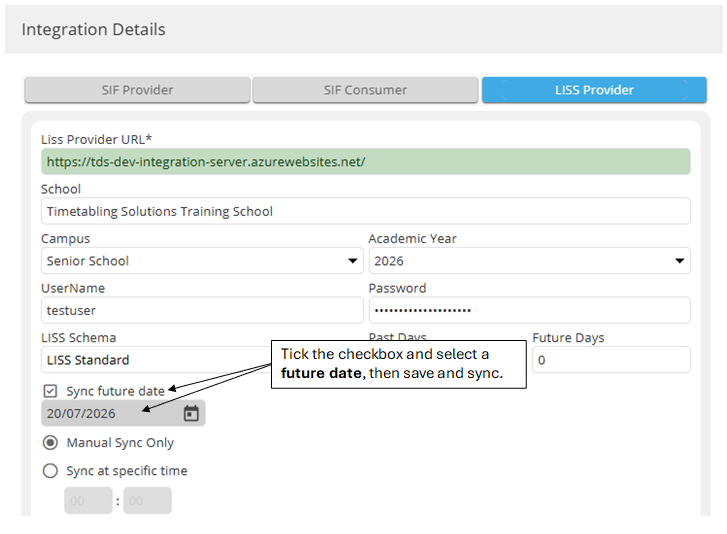
To publish a future timetable (such as Semester Two) while still operating in Semester One:
- Open your LISS Integration settings
- Tick Sync future date
- Select the start date for the future timetable (for instance, the start of Semester Two)
- Click Save
- Click Synchronise
This will send the data for the future date once. The 'Sync future date' checkbox will clear, returning the LISS integration back to syncing using your current date.
Compass users:
The Semester Two data will be lost if a sync with Semester One data is subsequently performed (e.g. if Semester One Daily Organiser changes are synced after Semester Two had been synced). As such, we recommend leaving the Semester Two sync until the last day of Semester One.