
There are many reasons why Gmail emails get flagged as spam. Most emails go to spam due to Gmail’s pre-defined spam filters.
To prevent emails from going to spam in Gmail, please complete the following steps:
1. Open Gmail and sign in to your account
2. In the search bar, type from:noreply@selectmysubjects.com.au and click the Filter icon
Note: For those using the new Preferences Manager, type from:noreply@timetabling.com.au 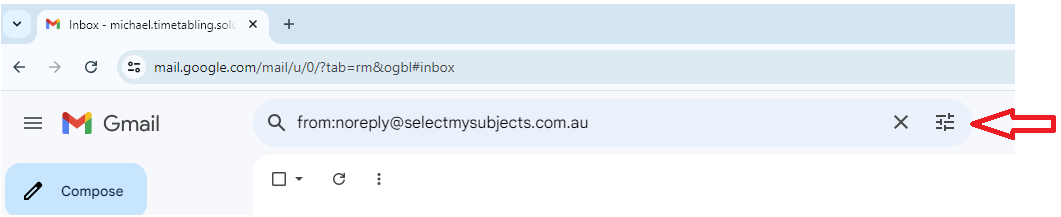
3. Click the Create filter button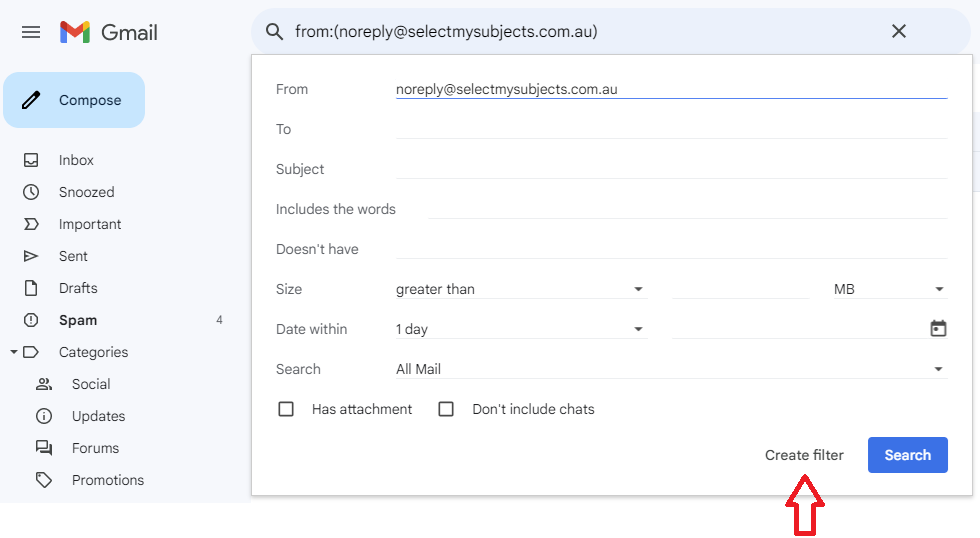 4. Check the Never send it to Spam box and click Create filter
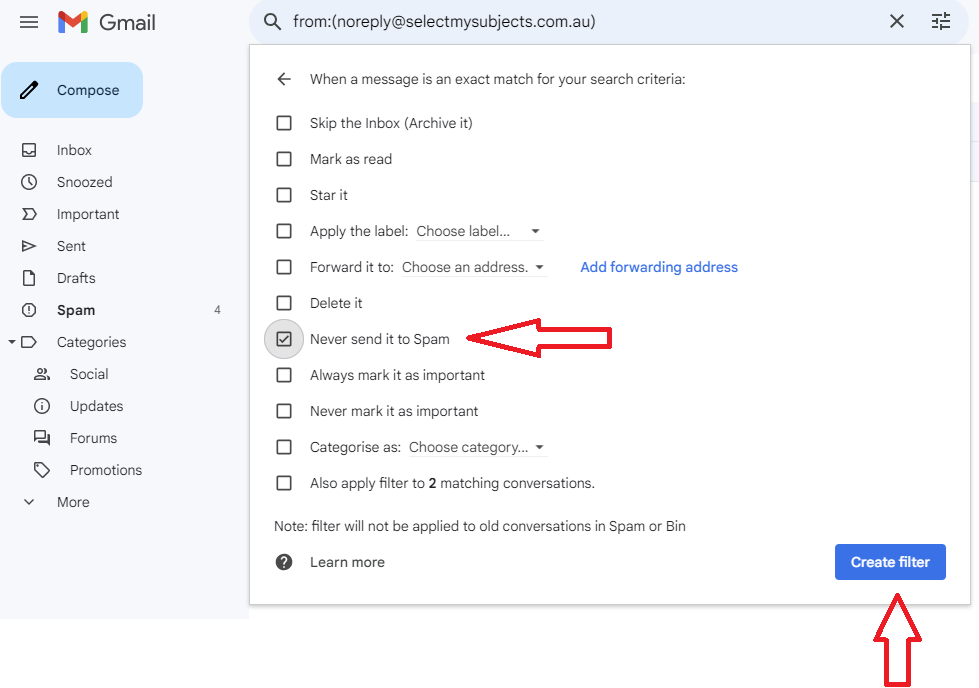 Note: You may also like to check "Also apply filter to matching conversations" to remove any previous emails from noreply@selectmysubjects.com.au from the Spam folder.